
AI automation is no longer limited to large technology companies with dedicated AI teams. In 2026, businesses of different sizes can use automation to reduce repetitive work, improve response times, organise information, and make everyday operations more efficient.
But that does not mean every business needs AI automation.
The better question is whether your business is experiencing problems that automation can realistically solve.
For a Mumbai business dealing with high enquiry volumes, repetitive administrative work, customer follow-ups, internal coordination, or growing operational demands, AI automation can become useful when manual processes start taking time away from higher-value work. 4Byte Agency is a Mumbai-based website and app development company that also provides AI automation solutions for businesses looking to improve their digital workflows.
Here are the clearest signs that your business may be ready.
1. Your Team Repeats the Same Tasks Every Day
One of the strongest signals is repetitive work.
If employees regularly copy information between systems, send similar emails, update spreadsheets, assign leads, prepare routine reports, or answer the same basic questions, there may be an opportunity to automate part of the workflow.
For example, imagine a business receiving enquiries through its website.
A team member might currently:
Check the enquiry
Copy the customer's details
Categorise the lead
Add it to a CRM
Send a confirmation
Notify a salesperson
Schedule a follow-up
If these steps happen hundreds of times each month, manually handling every step can consume significant staff time.
Automation can connect these actions into a single workflow.
The goal is not necessarily to remove the employee from the process. It is to remove unnecessary manual steps so the employee can focus on the parts that require judgement.
2. Your Team Is Spending Too Much Time on Data Entry
Data entry is another common automation opportunity.
Businesses often maintain information across multiple tools:
CRM systems
Spreadsheets
Accounting software
Email platforms
Ecommerce systems
Customer support tools
Internal databases
When employees repeatedly move information from one system to another, mistakes become more likely.
Automation can transfer information between connected systems based on predefined rules.
For example, when a customer submits a form, an automated workflow could create a CRM record, assign the appropriate sales representative, send a confirmation message, and create a follow-up task.
This reduces repetitive administrative work without changing the core business process.
3. Leads Are Being Lost Because Follow-Ups Are Slow

Speed matters when someone has already shown interest in your business.
If leads are sitting in inboxes, spreadsheets, or CRM queues without timely follow-up, the problem may not be a lack of leads. It may be an inefficient process.
AI automation can help businesses:
Categorise incoming enquiries
Identify high-priority leads
Send immediate acknowledgements
Assign leads to the appropriate team member
Trigger follow-up reminders
Update CRM records
Summarise conversations
A human salesperson can then take over when the lead requires a personal conversation.
This creates a useful combination: automation handles the repetitive coordination while people handle the relationship.
4. Customer Questions Are Repetitive
If your customer support team answers the same questions repeatedly, automation may be worth considering.
Common examples include:
Pricing questions
Business hours
Service availability
Delivery information
Appointment processes
Basic product information
Order status
Frequently requested documents
An AI-powered assistant can handle appropriate routine questions and direct more complex issues to a human.
However, automation should not be treated as an excuse to hide customer support behind a chatbot.
If a customer has a complicated complaint, sensitive issue, or unusual request, the system should provide a clear path to a human employee.
5. Employees Spend Too Much Time Searching for Information
Another overlooked problem is internal information retrieval.
As a business grows, important information can become scattered across:
Documents
PDFs
Emails
Internal databases
CRM records
Knowledge bases
Project management platforms
Employees may spend time searching for information that already exists somewhere inside the company.
AI-powered internal tools can help employees find and summarise relevant information more quickly, depending on the systems and data involved.
For example, instead of manually searching through multiple documents to find a particular process, an employee could ask a natural-language question and receive an answer based on approved internal information.
This can be especially useful for businesses with growing teams.
6. Your Reporting Process Is Mostly Manual

If someone spends hours every week creating reports by collecting information from different sources, automation may provide a practical improvement.
A reporting workflow could automatically collect relevant data, organise it, calculate defined metrics, and prepare a report for review.
For example:
Sales data → CRM → Automated processing → Management report
The final report can still be reviewed by a manager before decisions are made.
Automation is particularly useful when the reporting process follows the same structure every week or month.
7. Your Business Has Grown Faster Than Your Processes
Growth often exposes operational problems that were not visible when the company was smaller.
A process that worked with 20 enquiries per week may become difficult to manage with 200.
The same can happen with:
Customer support
Order processing
Employee onboarding
Lead management
Appointment scheduling
Document processing
Internal approvals
If the business keeps adding employees simply to handle repetitive administrative work, it may be time to examine the process itself.
The first question should be:
Can the process be improved before adding more manual work?
Sometimes the answer is automation. Sometimes it is better process design. Often, it is a combination of both.
8. Your Employees Are Doing Work That Does Not Require Human Judgement
Not every business task deserves automation.
But tasks that follow predictable rules are often good candidates.
Examples include:
Sending reminders
Sorting enquiries
Moving information between systems
Creating routine notifications
Generating standard summaries
Assigning tasks
Checking predefined conditions
Updating records
By contrast, activities involving negotiation, complex decision-making, strategy, relationship management, or sensitive customer situations usually require human involvement.
The objective should be to automate the repetitive layer while keeping people responsible for decisions that require context.
9. Your Website Generates Enquiries but Your Back Office Is Manual
A website can generate leads around the clock, but what happens after someone submits an enquiry?
If the answer involves manually checking an inbox, copying information into a spreadsheet, forwarding the enquiry, and remembering to follow up later, there may be a gap between your website and internal operations.
This is where website development and AI automation can work together.
A properly connected system could capture an enquiry, classify it, store the information, notify the appropriate person, and trigger the next step automatically.
For businesses planning a new website, it is therefore useful to consider future workflows during the website development process, rather than treating the website and internal systems as completely separate projects.
Businesses looking to connect their websites with internal workflows can explore 4Byte Agency's website development and AI automation services to understand how these systems can work together.
10. You Are Considering Hiring More People Mainly to Handle Repetitive Work
Hiring is sometimes the correct solution.
But if a new employee would spend most of their working day performing repetitive digital tasks, automation should at least be evaluated before making the decision.
For example, instead of adding another person solely to move data between systems, a business could automate the transfer and use the employee for customer communication, quality control, or other higher-value responsibilities.
This does not mean replacing employees with AI.
It means using technology to reduce unnecessary workload and allowing people to focus on work where human judgement adds more value.
What Should Your Business Automate First?
Not every process should be automated at the same time.
Start with tasks that are:
Repetitive
High-volume
Rule-based
Time-consuming
Easy to measure
Connected to existing digital systems
A simple prioritisation framework is:
Process | Repetitive? | High Volume? | Easy to Measure? | Automation Potential |
Lead routing | Yes | High | Yes | High |
Routine notifications | Yes | High | Yes | High |
Data entry | Yes | High | Yes | High |
Complex negotiations | No | Medium | Difficult | Low |
Strategic decisions | No | Low | Difficult | Low |
Customer complaints | Sometimes | Medium | Variable | Medium |
Start with one workflow rather than trying to automate the entire company.
When AI Automation May Not Be the Right Choice
AI automation is not automatically the solution to every operational problem.
You may not need it if:
Your business processes are already simple
Your workload is very small
The process changes constantly
There is not enough data to justify automation
The cost of automation exceeds the time saved
Employees need to make frequent complex decisions
Your existing systems are poorly organised
Sometimes fixing the underlying process is more valuable than adding AI.
For example, if a company has three different spreadsheets containing conflicting customer information, adding an AI tool will not necessarily solve the core problem.
The data and workflow may need to be cleaned up first.
How Much Does AI Automation Cost?
There is no single price for business automation.
Costs depend on what is being automated, how many systems need to be connected, whether AI is required, the complexity of the workflow, and whether custom software development is involved.
A simple automated workflow may be relatively straightforward.
A larger system involving multiple APIs, databases, AI models, dashboards, permissions, and business rules requires significantly more engineering.
Instead of asking only for the cheapest automation package, define the workflow first.
Then compare the expected implementation cost against the time, errors, delays, or missed opportunities the automation could reduce.
How Should a Mumbai Business Start With AI Automation?
Start small.
Choose one process that causes a measurable problem.
For example:
Problem: Leads are taking too long to reach sales staff.
Current process: Website form → Email inbox → Manual review → Spreadsheet → Salesperson.
Potential automated process: Website form → Lead classification → CRM → Sales assignment → Notification → Follow-up task.
Once that workflow works reliably, you can evaluate the next opportunity.
This approach makes it easier to measure results and prevents businesses from spending heavily on automation before understanding what actually works.
How to Choose an AI Automation Agency
When evaluating an AI automation agency in Mumbai, do not focus only on whether the company uses the latest AI tools.
Ask practical questions:
What exactly will be automated?
Which systems will be connected?
What happens when automation fails?
Can a human take over?
How will data be handled?
How will performance be measured?
Who maintains the workflow?
What happens when your business process changes?
A good automation partner should first understand the business process and then recommend the appropriate technology.
The same principle applies when choosing a reliable software development company in Mumbai for more complex systems that may require custom applications, dashboards, APIs, or backend infrastructure.
When comparing development partners, businesses can evaluate 4Byte Agency's relevant services alongside their project requirements, integration needs, and long-term maintenance expectations.
How AI Automation Can Work With Mobile Apps
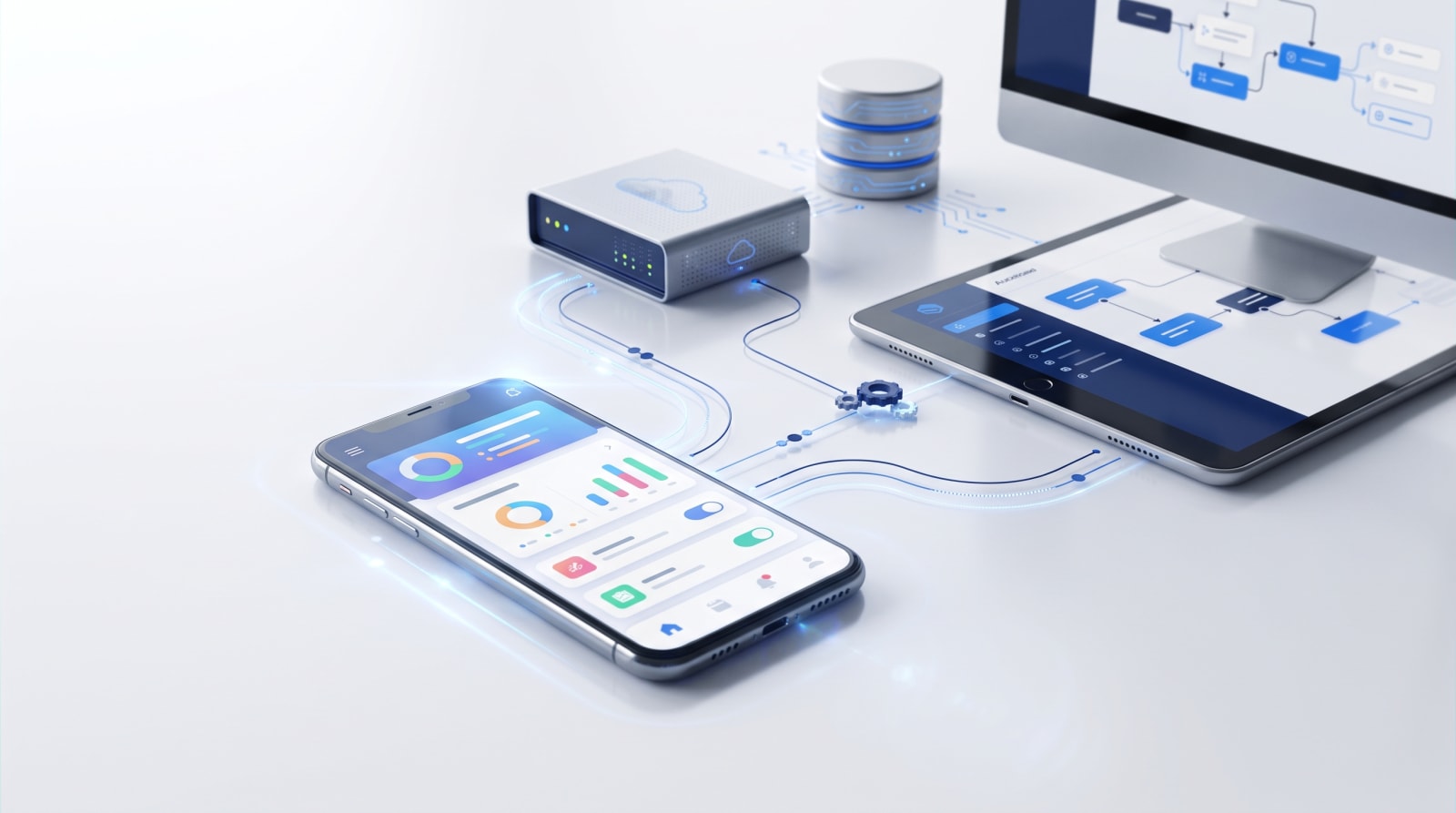
Automation does not have to live separately from your mobile application.
For example, a service app could allow customers to submit a request while automated workflows handle internal routing, notifications, CRM updates, or document processing.
This is why businesses planning both an app and automation should consider the two systems together rather than building isolated technology.
A mobile product can become the customer-facing layer while automation manages repetitive processes behind the scenes.
Businesses planning connected digital products can also explore 4Byte Agency's app development and AI automation capabilities when evaluating their technical requirements.
Frequently Asked Questions
What are the biggest signs a business needs AI automation?
The strongest signs include repetitive manual tasks, slow lead follow-ups, excessive data entry, repeated customer questions, manual reporting, scattered information, and employees spending significant time on predictable administrative work.
Does AI automation replace employees?
It does not have to. The most useful implementations usually automate repetitive tasks while keeping employees involved in decisions, customer relationships, quality control, and other work requiring human judgement.
What should a business automate first?
Start with a repetitive, high-volume process that is easy to measure. Lead routing, notifications, data entry, reporting, and routine customer communication are common starting points.
Is AI automation suitable for small businesses?
It can be, provided there is a genuine operational problem worth solving. A small business does not need a large AI system; a single well-designed workflow can sometimes provide meaningful value.
How do I know whether automation is worth the investment?
Compare the implementation cost with the time saved, reduction in errors, faster response times, improved capacity, or other measurable business outcomes. If the expected benefit is unclear, start with a smaller workflow.
Final Takeaway
The strongest reason to consider AI automation in 2026 is not that AI is becoming more popular. It is that your business may be spending valuable human time on work that technology can handle more efficiently.
If employees repeatedly move data, answer the same questions, manage routine follow-ups, prepare similar reports, or coordinate predictable workflows, those processes deserve closer attention.
Start with one measurable problem. Map the existing workflow, identify where manual work occurs, and determine whether automation can genuinely improve it.
The goal is not to automate everything.
The goal is to build a business where technology handles repetitive work reliably, while your team spends more time on customers, decisions, creativity, and growth.